
Crickex Casino Login & Registration Guide
You want to get in fast and play, and we want to make that as simple and safe as possible. Let’s walk you through creating your Crickex account, logging in, and keeping everything secure, step by step.
Why You Need a Crickex Account
You’ll need a Crickex account to bet on sports, play casino games, claim bonuses, and withdraw your winnings. Without registration, you’re limited to browsing and maybe trying a few demo games.
With a verified account, you can
- Deposit and withdraw in BDT
- Join promos, cashback, VIP, and referral rewards
- Track your bets, history, and balance in one place
Bottom line, if you want real-money play and full features, you’ll need to sign up and log in.
How to Sign Up at Crickex
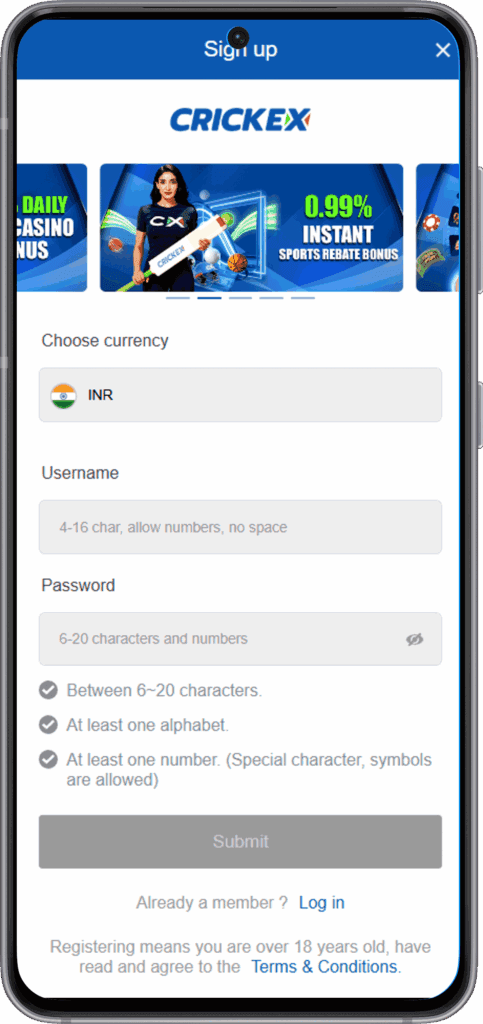
We’ve kept signing up quickly so you can get to the fun part faster. You just fill out a short form, confirm your contacts, and you’re good to go.
Step‑by‑Step Registration Process
Here’s how you create your Crickex account:
- Open our official website on a desktop or a mobile.
- Click the “Sign Up” or “Join Now” button at the top right.
- Create a username and password you’ll remember but others can’t guess.
- Choose your currency (pick BDT if you’re in Bangladesh).
- Enter your mobile number and email, and add a referral code if you’ve got one.
- Complete the verification code or captcha.
- Confirm that you’re 18+ and accept our terms, then submit the form.
After that, your account is created and you can log in, deposit, and start playing.
Required Personal Details
To protect you and your money, we ask for a few key details:
- Username and password
- Currency (BDT recommended for Bangladesh)
- Mobile number and email address
- Full name and basic profile details
Later, for KYC, we’ll also need proof of identity and address. We never share this data, and we use encryption to keep it safe.
Crickex Login on Website
Logging in on the website is straightforward:
- Visit the Crickex site.
- Click “Login” at the top right.
- Enter your username and password.
- Hit “Login” and you’ll land in your account dashboard.
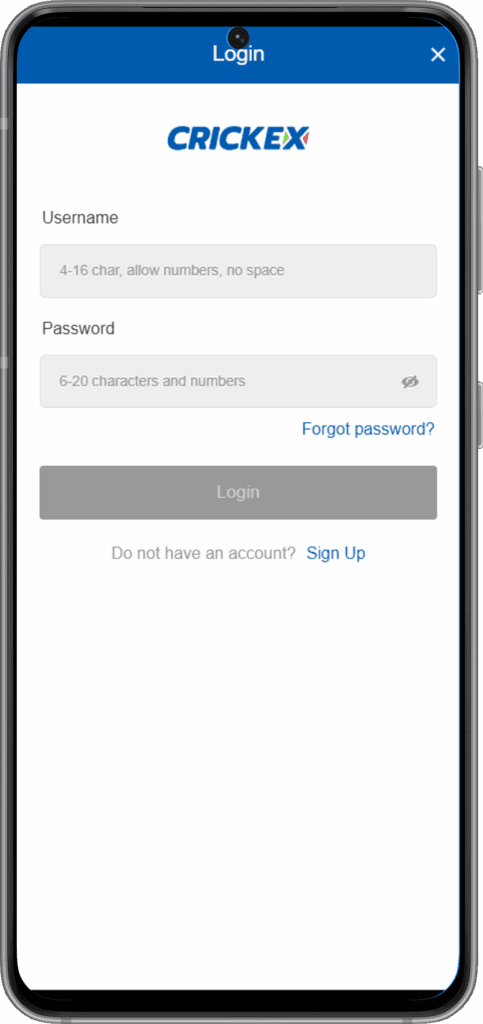
From there, you can make deposits, place bets, claim bonuses, and manage your profile. If you stay inactive for a while, we might log you out for security, so you’ll just log back in.
Crickex App Login on Android
Now, if you like playing on the go, our Android app is where you’ll spend most of your time.
To log in to the app:
- Download and install the Crickex Android app from our official site.
- Open the app and tap “Login”.
- Enter the same username and password you use on the website.
- Optional: enable fingerprint or face login on supported devices.
Once logged in, you can bet, play casino, deposit, and withdraw, all from your phone.
Account Security and KYC Verification
We take your account security seriously because you’re trusting us with real money and personal data.
Protecting Your Login Credentials
Here’s how you help us keep your account safe:
- Use a strong, unique password (mix letters, numbers, and symbols).
- Don’t share your login with anyone, including “helpers” or “tippers”.
- Always log out on shared or public devices.
- Avoid clicking random links that ask for your Crickex login.
If anything looks suspicious, change your password and contact our support team right away.
KYC and Document Verification
KYC is where we confirm that you’re really you. This is required before withdrawals and sometimes before higher limits:
We’ll usually ask for:
- A passport, national ID, or driver’s licence (photo)
- Proof of address (utility bill, bank statement, etc.)
- Sometimes, a selfie to match your document
You upload these securely to your profile. Once verified, your withdrawals go smoothly, and your account is better protected against fraud.
Responsible Gambling and Age Check
We only allow players who are 18+ to register and play.
During KYC, we verify your age and may block or restrict accounts if:
- You’re under 18
- Your documents don’t match your details
- There’s suspicious or abusive activity
We also support responsible play, so if you feel your gambling is getting out of control, reach out to support, and we’ll guide you to limits and help resources.
Common Login Issues and Fixes
Stuff happens, and sometimes the login doesn’t go as planned. Here’s how you usually fix it yourself.
Forgotten Password or Username
If you can’t remember your login:
- Click “Forgot Password” on the login page.
- Enter your registered email or phone number.
- Follow the link or code we send to reset your password.
If you forgot your username, reach out to support via live chat or email so we can help recover access after verifying your identity.
Account Access Restrictions (KYC, Security)
You might see limitations or blocks in a few cases:
- KYC not completed or pending approval
- Multiple failed password attempts or suspicious access
- Use of VPNs or unusual locations on your account
What you should do:
- Check your email for messages from us with instructions.
- Log in and see if we’re asking for documents or extra verification.
- Contact support so we can explain what’s needed to restore full access.
We’re not trying to annoy you, just keeping your funds and account safe.

Login & Registration FAQ
Yes, you need a registered account to play for real money, claim bonuses, and withdraw.
No, we only allow one Crickex account per person. Multiple accounts may be closed and funds frozen.
Yes, it’s the same account. You can use the website on a desktop and the app on Android with one login.
We’re required to verify your identity and age, and to protect you against fraud and stolen accounts.
First, try resetting your password. If that doesn’t work, contact our support via live chat or email, and we’ll check what’s going on.